
Build together on localhost.

Watch a teammate’s terminal, open their dev server, read their code and follow their AI agent, from a browser tab. Nothing on their machine runs without their say-so.

By joining you agree to our privacy notice.

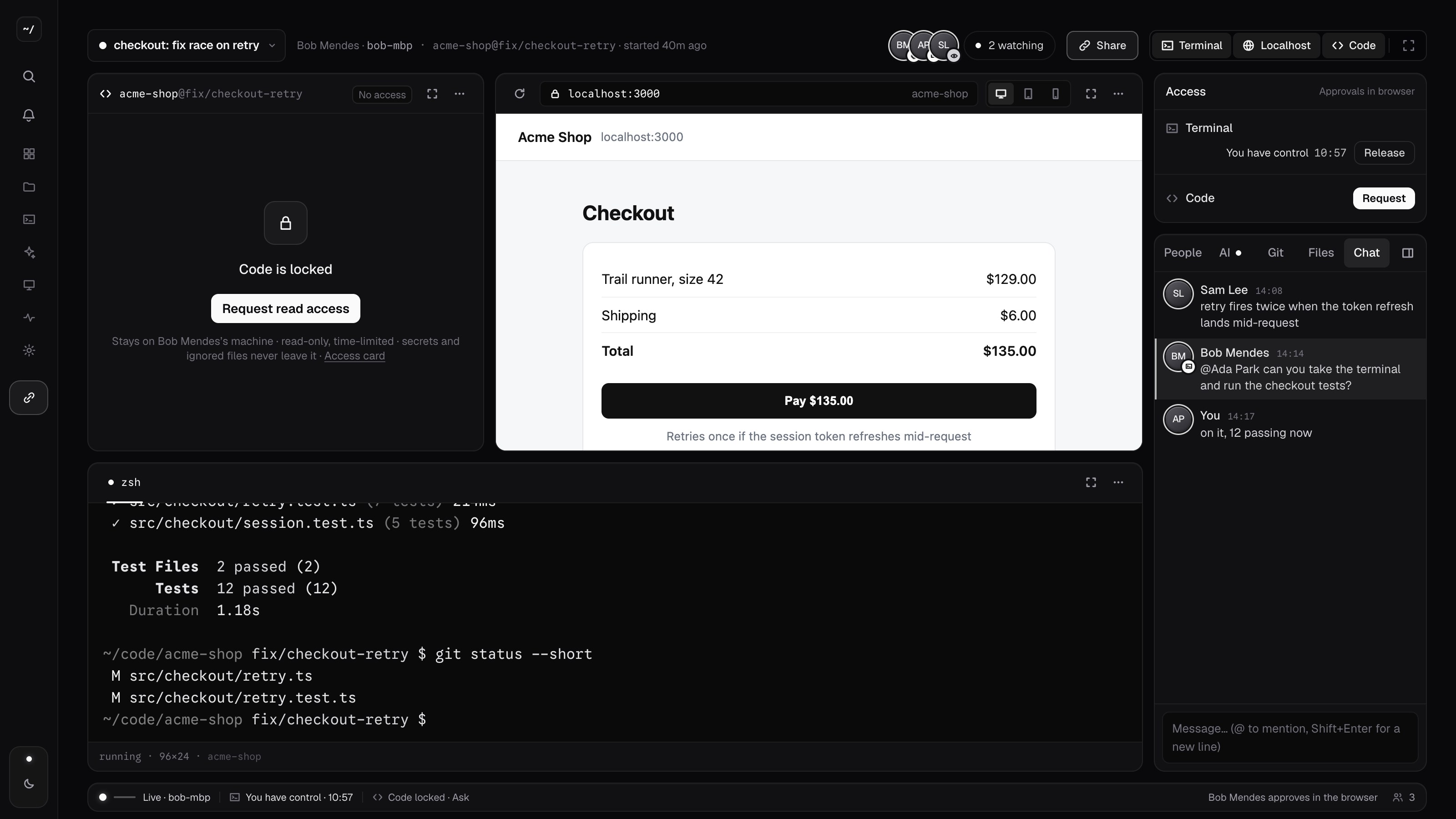
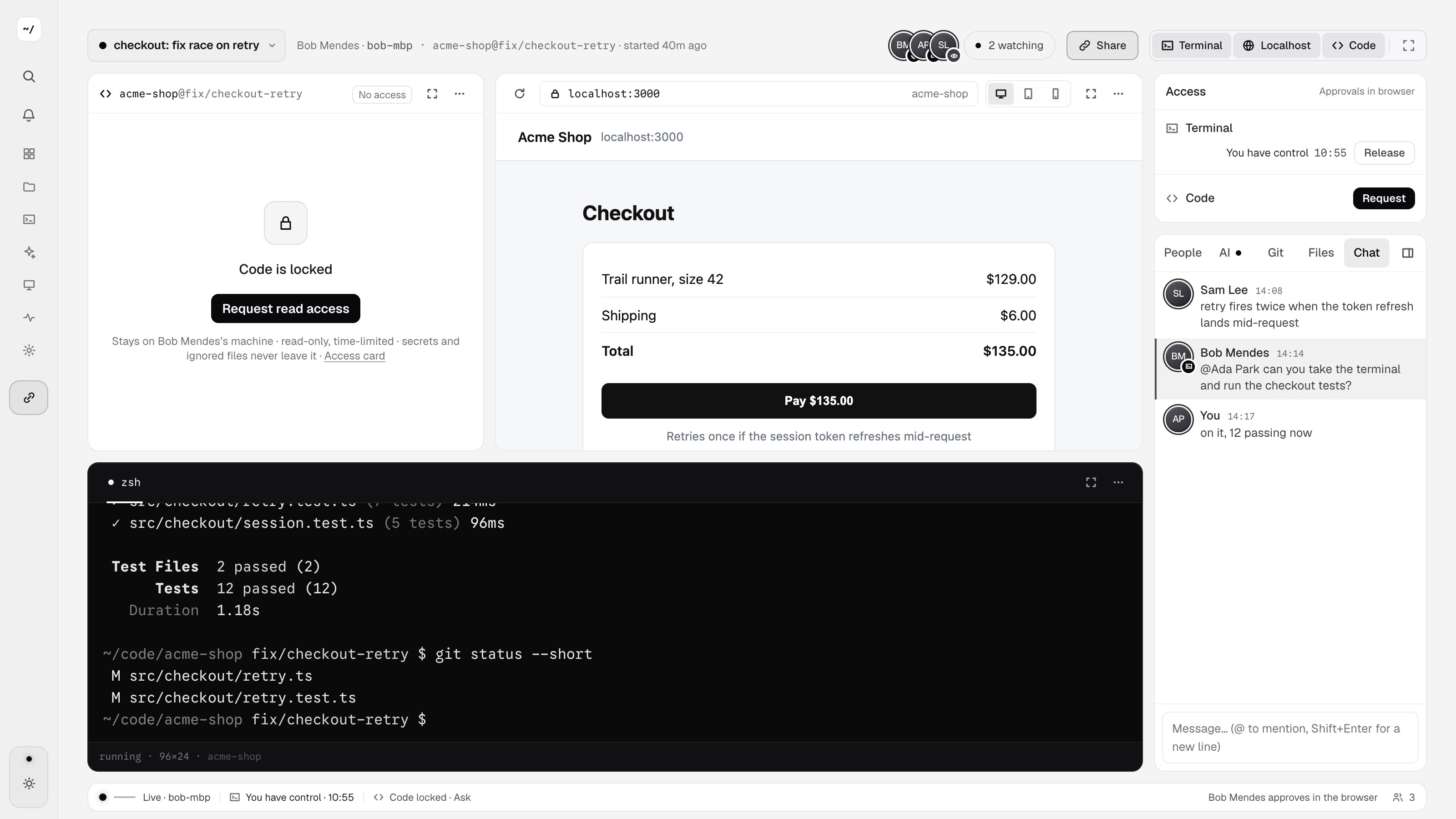
A code.weekendsync session: code and localhost side by side over a shared terminal, with access, people and chat on the right

Everything a pairing session needs, without sharing a screen.

Ada’s browser

View onlyBob approves in the browserAsk Bob to type

Bob’s browser

TerminalOnly you can type

Typing needs a yes. Teammates watch freely. To type, they ask, the owner approves from a toast or their own terminal, and access ends on its own.

Bob’s screen

~/acme-shop $ npm run build

Ada’s screen

~/acme-shop $ npm run build

One terminal, every screen. Output streams from the owner’s real shell to everyone in the session as it happens. It lives in memory and is never written to the database.

localhost:3000 · shared by Bob

DesktopTabletPhone

Acme Shop

Checkout

Trail runner$129

Pay

Their localhost, in your browser. Share one port and teammates open the dev server with an inspector, at desktop, tablet or phone width. Nothing else on the machine is reachable.

AI · on Bob’s machine

Claude CodeRunning

0tools

0edits

0commands

    Metadata only. Never prompts, outputs or file contents.

    See what the AI is doing. Claude Code’s tools, edits and commands show up for the whole session as they happen, without prompts or file contents ever leaving the machine.

    The machine is the boundary.

    Teammates connect to your laptop through one server, but your laptop has the last word. Access is granted per request, runs out on its own, and can be approved only on your machine if you prefer.

    • No remote commands

      The server never sends your machine a command to run. Every remote action is a typed request with its own permission check.

    • Your machine decides

      The CLI re-checks every grant itself, so not even the server can type into your shell without your approval.

    • Project-only terminals

      On macOS the shared shell can be fenced to the project folder: no home directory, no keychain, no other processes.

    • Least data

      Terminal output lives in memory, file contents are streamed and never stored, and secrets are never uploaded.

    Open your localhost to your team.

    Invite-only for now. Join the waitlist with your work email.

    By joining you agree to our privacy notice.